IPHONE 13 · SCREEN REPAIR
LOCAL-FIRST WINDOWS POS + OPERATIONSV6.0.0
The counter iswhere it starts.
Kassivo is a Windows point-of-sale and operations suite built to carry one transaction into stock, staff, customers, kitchen, service, purchasing and control—inside a locally operated core you can own.
BUILT IN RUST + TAURI11 OPERATING PROFILESLOCAL SQLITE COREONE-TIME CORE LICENSE
TRANSACTION SETTLEDThe rest is already moving. PROFILE-AWARE WORKFLOW
11 OPERATING PROFILESWINDOWS 10 / 11LOCAL SQLITE COREONE-TIME CORE LICENSE
01 YOUR INDUSTRY IS NOT A SKIN
Kassivo changes
underneath.
Eleven profiles reshape what the team sees and how work moves. Choose the world closest to yours.
01 ONE EVENT02 ONE ENGINE03 EVERY CONSEQUENCESALE — 18:42
KASSIVO CORESAME ENGINE · 11 PROFILESCORE UNCHANGED
- IDENTITYSERIAL LINKED
- INVENTORYPART −1
- WARRANTY90 DAYS ATTACHED
- CUSTOMERHISTORY +1 REPAIR
- ACCOUNTING+490.00 POSTED
PHONE & ELECTRONICS
A device has a life after the barcode.
Identity, intake, service, financing and delivery belong to one accountable history—not a trail of disconnected notes.
02 THE TRANSACTION IS A TRIGGER
One moment.Many consequences.
Depending on the active profile, a completed sale can carry useful context into the rest of the business.
SALE
COMPLETE The visible moment
COMPLETE The visible moment
The position changes.
Movement keeps its operational context.
The history becomes useful.
Relationship context can follow the sale.
The next station knows.
Kitchen or service work can move forward.
The drawer remembers.
Daily control stays connected to the event.
The signal surfaces.
Activity becomes a clearer operating picture.
THE EXACT CHAIN CHANGES WITH YOUR PROFILE, PERMISSIONS AND CONNECTED WORKFLOW.
03 / NO CONCEPT RENDERS
See pressure before it becomes a problem.
Sales movement, operating signals and the context behind them meet in one calm view.
Fast in the moment. Complete after it.
The counter stays focused while the transaction remains useful to everything that follows.
Stock is a moving story.
Purchasing, counts, suppliers and movement stay close enough to explain what changed.
Know what deserves your attention.
Turn operating activity into a decision without rebuilding yesterday in a spreadsheet.
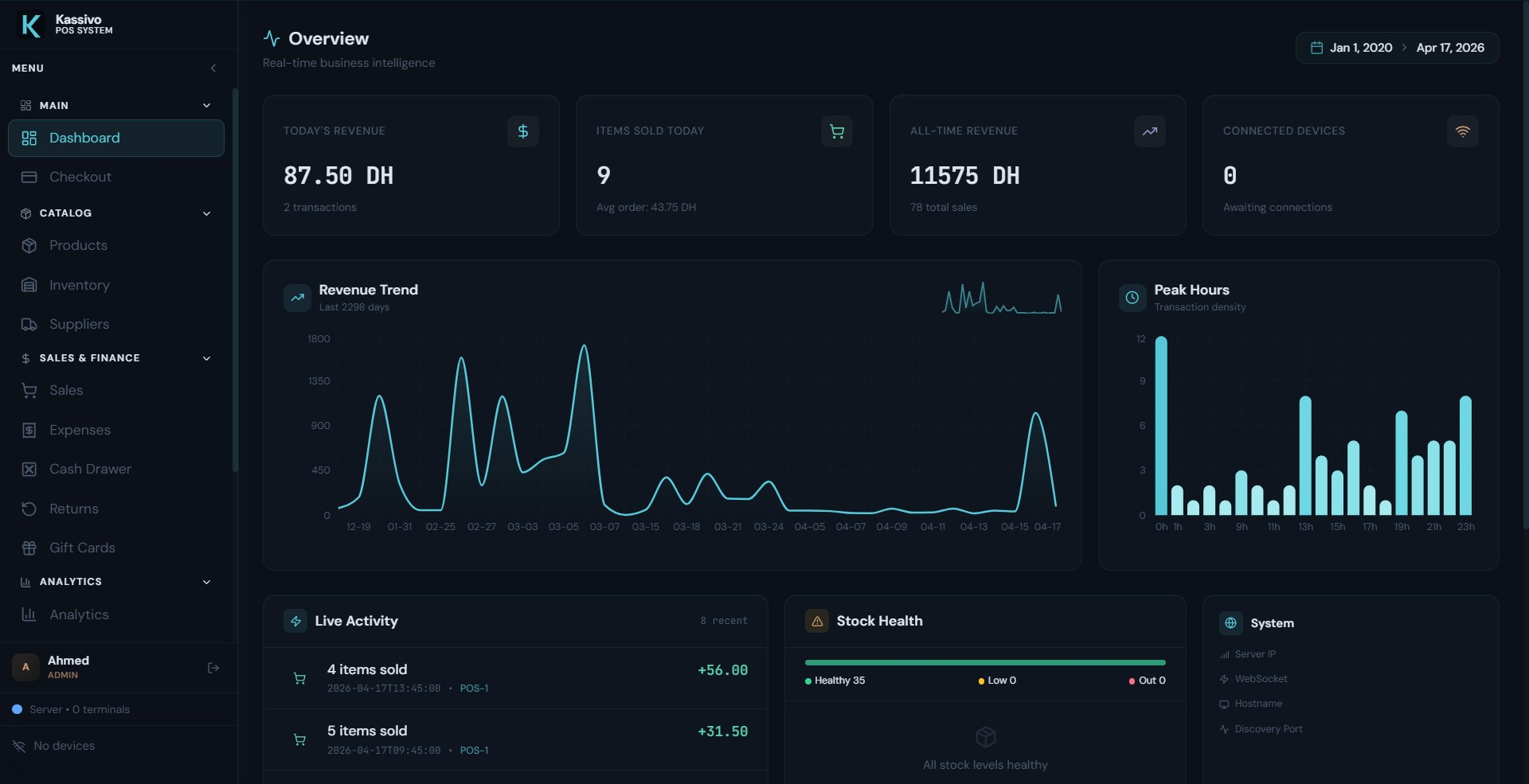
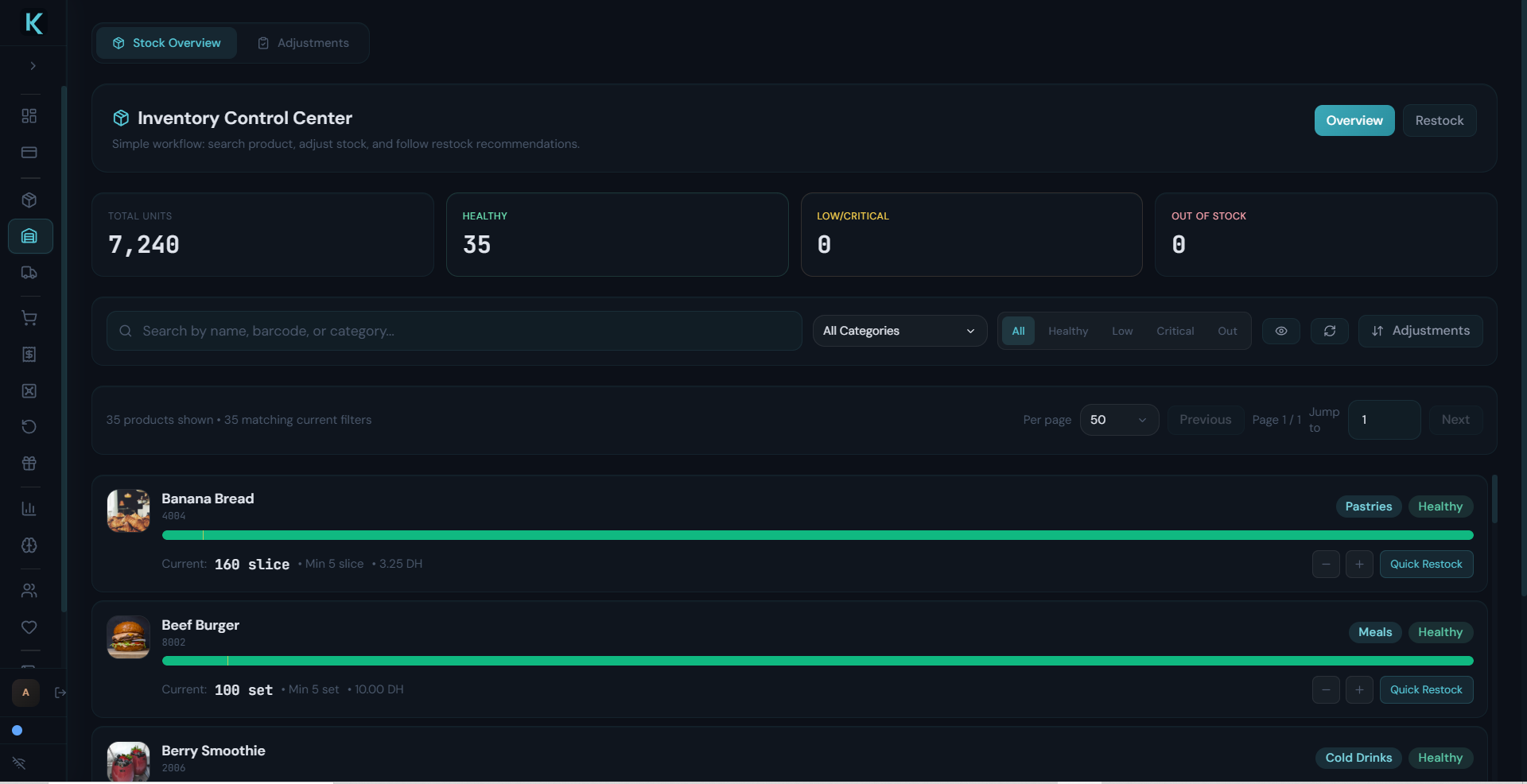
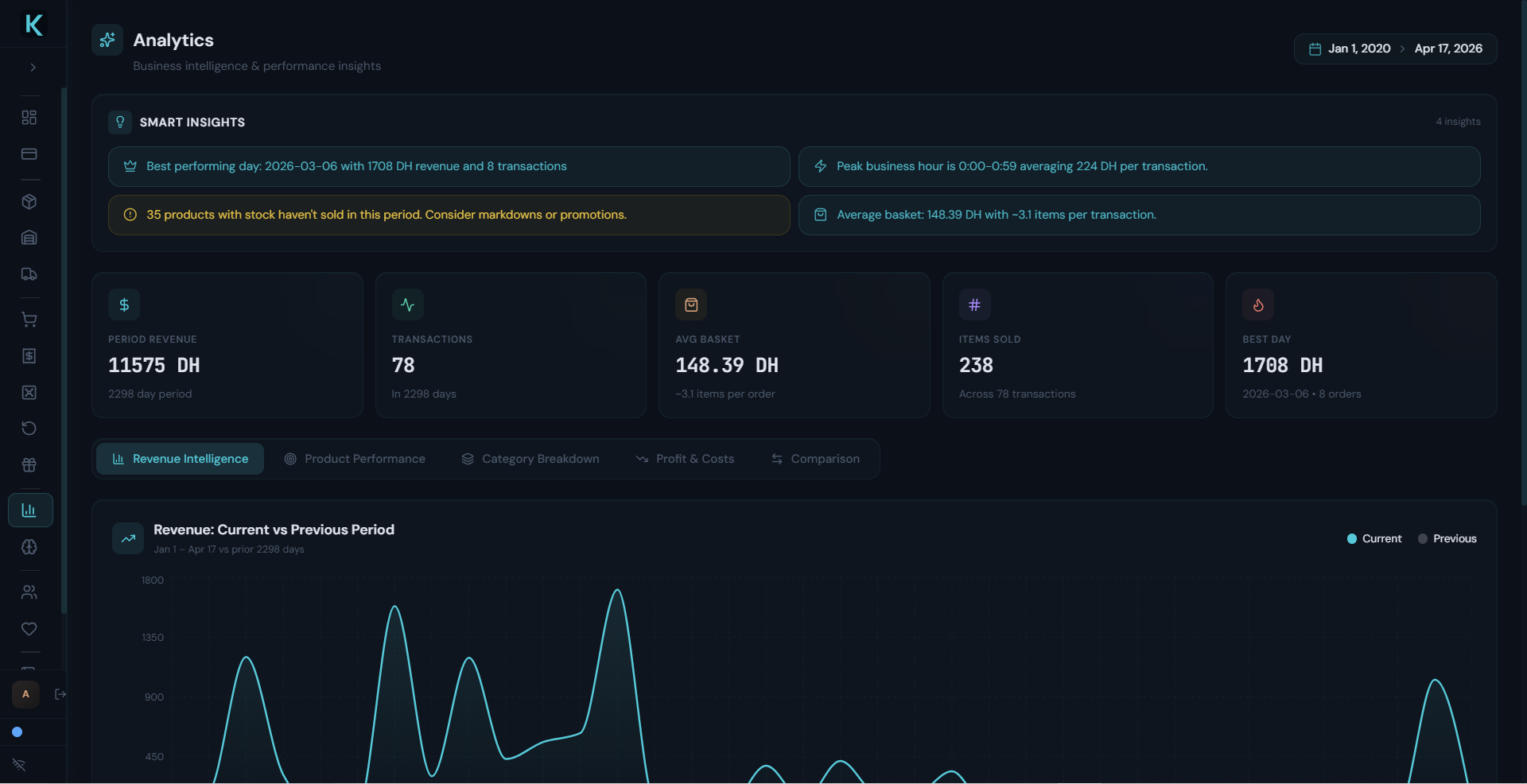
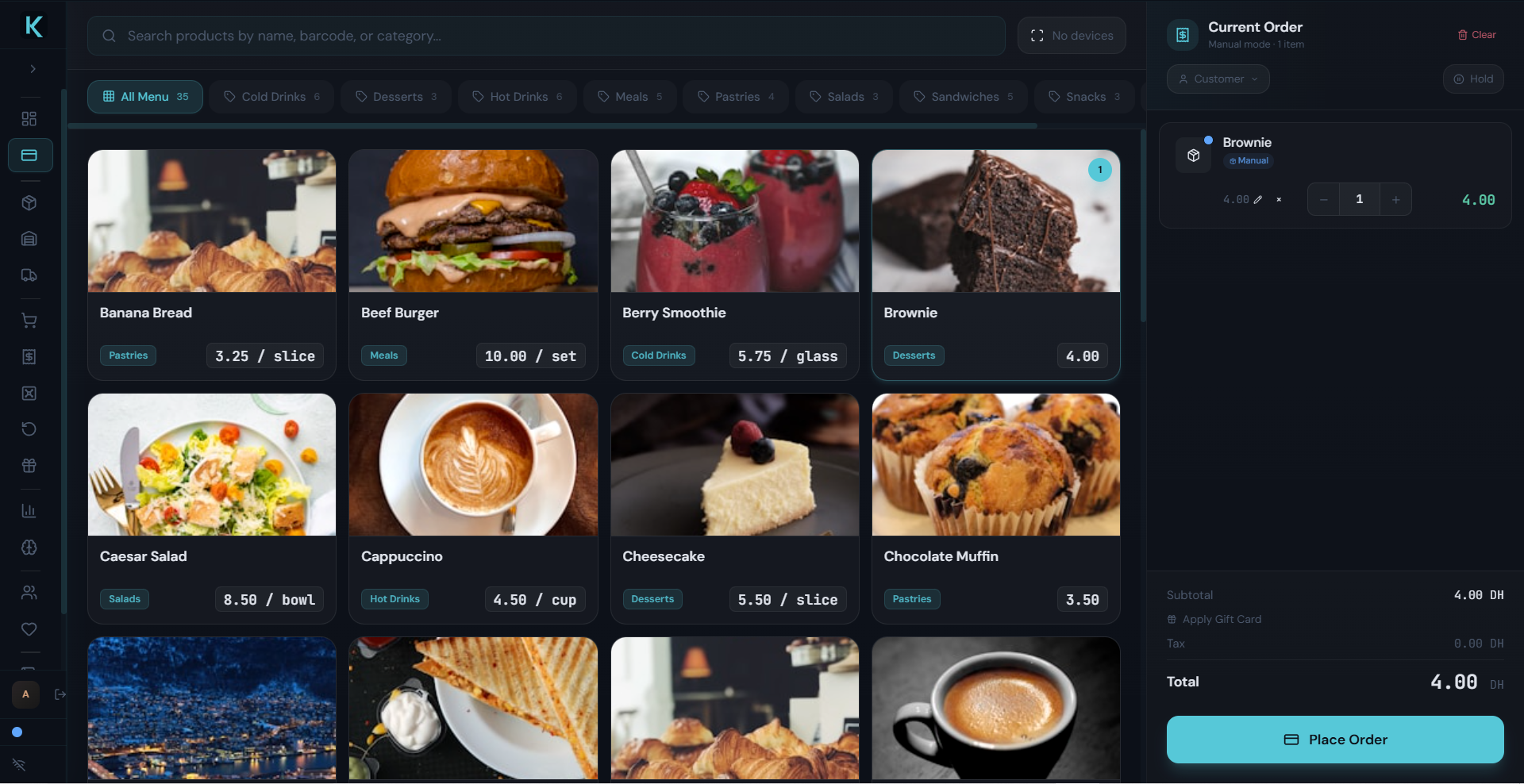
01CURRENT KASSIVO INTERFACE
04 NOT AN APP. INFRASTRUCTURE.
Most POS is
a single screen.
Kassivo behaves like a system. A Windows core quietly coordinates the devices around it over your own local network.
The Windows core
Engineered in Rust and Tauri as a native desktop application—not a browser tab pretending to be software.
RUST + TAURI CORE LOCAL SQLITE LAN-NATIVE
Orders land on the pass.
The kitchen screen receives tickets from the counter across the network.
LANAny phone becomes a scanner.
An Android companion streams barcodes to the counter—no dedicated gun required.
LANAdd terminals, not servers.
Tablet and rugged Android clients extend the floor without new infrastructure.
LANWatch the pulse.
A background monitor keeps an eye on the system while the counter keeps moving.
LOCALA CONNECTED ECOSYSTEM—REVEALED IN FULL DURING A PRIVATE WALKTHROUGH.
05 BUILT FOR AN ACTUAL WORKDAY
When conditions change,
the counter stays calm.
Trust is not a badge. It is how the system behaves during a rush, a lost connection, a staff change or a hardware decision.
OPERATING PRINCIPLELOCAL
The core workspace and SQLite data live around the Windows setup—not behind a browser tab.
Resilient by design
Many terminal writes can queue through a lost connection and reconcile when the link returns.
Access follows responsibility
Cashiers, managers, accountants and owners can enter through different operational boundaries.
Hardware earns its place
Windows, compatible scanners, ESC/POS printing, cash drawers, phone scanning and scales join where useful.
Shared-balance and connected services that require live state pause appropriately. We prefer an honest boundary to a fragile promise.
06 OWN THE CORE · CHOOSE THE CONNECTIONS
Your operation is not
a monthly permission.
Kassivo’s operational core is sold once. Add connected services only when they create value for the business.
One-time core license
Keep using the business workspace without monthly core rent.
Local-first daily work
Core operation remains centered on the machine running the business.
Expansion without reinvention
Profiles, terminals and optional connections can meet a more demanding operation later.
07 / PUBLIC PROOF · PRIVATE BLUEPRINT
See the capability.
Open the detail privately.
SELECTED OUTCOME
One action. More than one result.
transaction statestock contextreceipt routehistory trail
THE COMPLETE PROFILE MAP OPENS DURING A RELEVANT DEMONSTRATIONUnlock my operating view 
08 YOUR BUSINESS · NOT OUR SLIDES
The demo begins
with your bottleneck.
Bring the rush, the missing item, the delayed repair, the kitchen handoff or the paper trail. We will map that moment inside Kassivo.
Phone & Electronics. SALE — 18:42. IPHONE 13 · SCREEN REPAIR. IDENTITY: SERIAL LINKED. INVENTORY: PART −1. WARRANTY: 90 DAYS ATTACHED. CUSTOMER: HISTORY +1 REPAIR. ACCOUNTING: +490.00 POSTED
PRIVATE · RELEVANT · PRODUCT-LED
Twenty focused minutes. No feature-list theatre.
09 PROVE THE FIT BEFORE THE PURCHASE
Run your day.
Then make the decision.
The evaluation is the real Windows application—not a restricted browser simulation.
7-DAY EVALUATIONGUIDED · BY REQUEST
Put real pressure on it.Install Kassivo, request access, and test the counter, back office and handoffs that matter to your profile.
- 01DownloadThe real Windows application
- 02Request keyMatched to your machine
- 03Choose profileEleven operating worlds
- 04Run scenariosYour counter, your day
Download for Windows Request my trial key The trial key is matched to your main PC or terminal. It does not start automatically.
CORE LICENSE
Own the operational core once. No recurring payment simply to keep using your business workspace.
Confirm the fit with our team License scope, terminal count, optional services and support terms are confirmed for your setup before purchase.10 THE QUESTIONS THAT CHANGE A DECISION
Straight answers.
No fine-print fog.
What owners and operators usually need to know before Kassivo reaches the counter.
Is Kassivo only for traditional retail?
No. Kassivo includes eleven operating profiles spanning retail, food service, grocery, fashion, pharmacy, electronics and repair, service businesses, hardware, Moroccan B2B workflows, and a minimal starting configuration.
What happens when the internet is unavailable?
The core workspace is local-first and centered on the Windows machine. Terminal workflows include resilient queuing for many disconnected writes; shared-balance and connected services that require live state pause appropriately.
Do I need to replace my counter hardware?
Start with a Windows 10 or 11 PC. Kassivo supports practical additions such as compatible barcode scanners, ESC/POS printers, cash drawers, phone scanning and weighing workflows. We confirm the exact fit before deployment.
Why not publish the complete feature matrix?
Because capability only matters in context. A pharmacy, café and repair counter need different proof. A private walkthrough reveals the relevant workflow without turning this page into documentation—or exposing the complete operating blueprint.
How do I evaluate it?
Download the real Windows application, request trial access, and run scenarios from your own business. For specialist or multi-terminal setups, begin with a private workflow walkthrough.
NEXT: YOUR WORKFLOW
Do not take
our word for it.
Put Kassivo on Windows—or give us the one operating moment your current setup keeps getting wrong.